

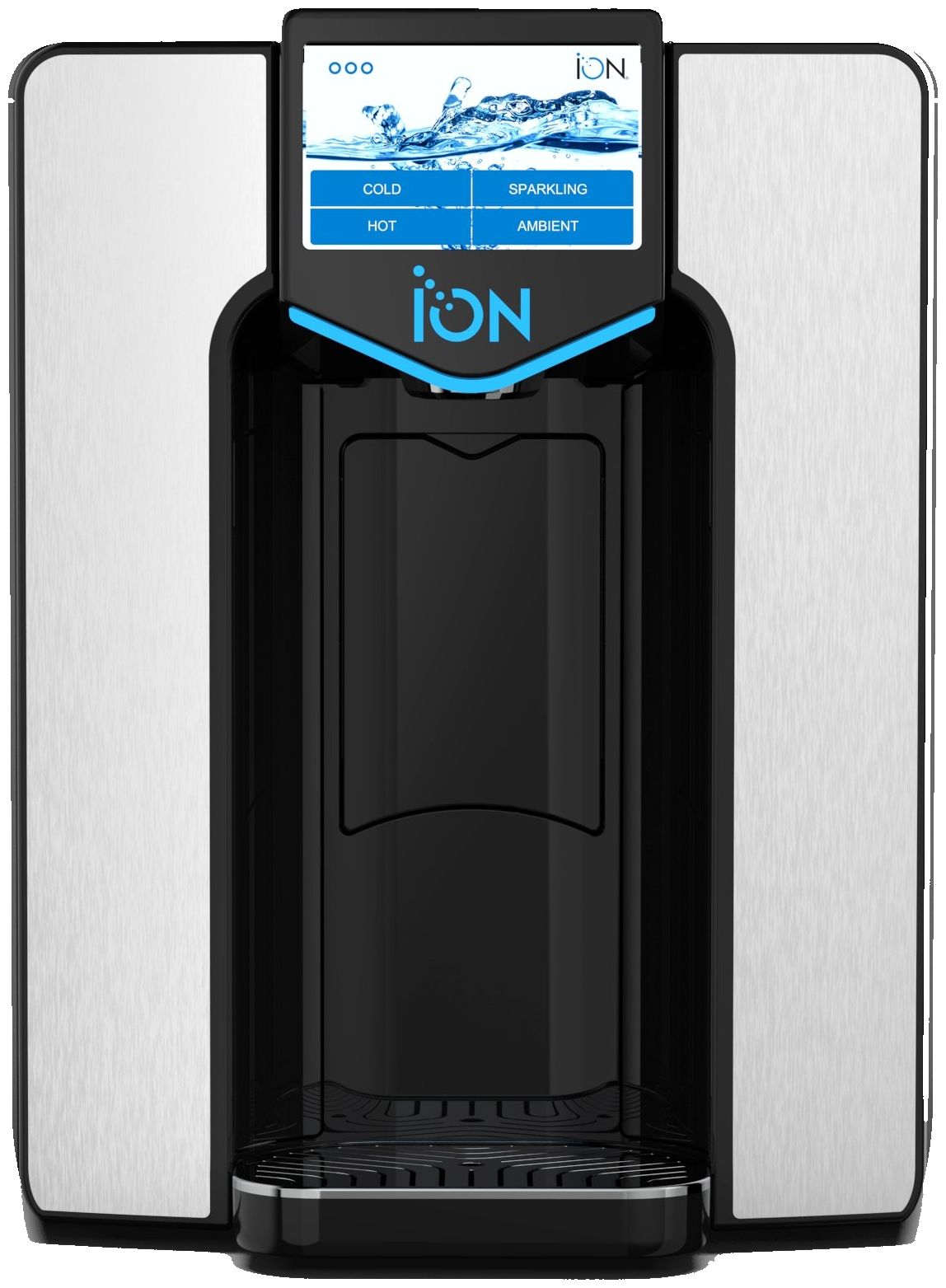
ION Bottleless Water Cooler Troubleshooting FAQ
Natural Choice strives for excellence in everything we do. On occasion, however, you may experience a problem that requires Technical Support.
Please take the time to locate the different support sections that Natural Choice has available, or do not hesitate to contact us directly.
General
Dimensions for the ION and AquaStand™ are shown in the Roughing In Guide (PDF).
The ION Installation Video below will assist with installation of the TS Series. For questions or assistance with installing the ION 900 Series, please call technical support. For a narrated clickable instructions download the BILT APP and under products, search for Natural Choice to view the instructions.
If you have an ION, the PureAlert™ Filter Timer automatically indicates when the filter needs changing after 1,500 gallons or 1 year, whichever comes first. You'll receive a reminder on your Touch Screen when you have reached your usage point.
Important! Make sure to reset your Filter Timer after a new filter has been installed. The Filter Timer is located with the Filter section of the Touch Screen Menu.
Natural Choice has factory authorized dealers located in most parts of the USA, Canada, and certain international markets. Call us at 1-800-547-7726 and we can help locate a dealer or service resource near you.
If you are leasing or renting the ION Water Cooler from an authorized Natural Choice dealer, contact that dealer and they will help you. When the ION is being rented or leased, repairs are commonly included at no charge. If you are unsure of your dealer, just call us at 815-874-4444.
If your Touch Screen shows a system error and you are not able to use the ION, this means you have a Shut Down error and the ION needs attention immediately. Please contact your ION Dealer or the Natural Choice Technical Department for further instruction.
If you press on the Touch Screen and don't receive any water, there are several items to check. Make sure the filter is installed in the fully locked position. If this doesn't solve the problem there might be an issue with another area of the ION. Contact your dealer or Natural Choice Technical Support for further diagnosis.
When cleaning the ION, be careful to keep water away from the Touch Screen area and also avoid detergents—clean the ION with mild soap and a damp towel. Moisture can damage the Touch Screen and require more frequent replacement.
Every ION Water Cooler is equipped with the energy-saving SleepMode™ feature, which automatically turns off the cooling system. All IONs are programmed with the feature OFF and must be enabled for use. If you are unsure the status of SleepMode™, you may need to look in the Touch Screen Settings. You can also reference the Owner’s Manual (PDF) or contact Technical Support at 800.547.7726. Another option is review the SleepMode™ section on the Touch Screen.
First check if your hot switch is flipped to "ON" on the back of the ION. If the hot switch is not flipped on, you will not have hot water. Another reason can be caused by the SleepMode™ feature which turns down the temperature of the hot water to 135ºF. All IONs are programmed with the feature OFF and must be enabled for use. If you are unsure the status of SleepMode™, you may need to look in the Touch Screen Settings. You can also reference the Owner’s Manual (PDF) or contact Technical Support at 800.547.7726. Review the SleepMode™ section on the Touch Screen if you are unsure if SleepMode™ is on.
If you are renting from a dealer who services and maintains your ION, please contact them directly for your Passcode. All other customers, please use code 2580.
If the water coming from the faucet seems slower than normal, it might be time for a filter change. In some areas the water quality may cause your filter to expire before the year point. If you have changed your filter and are still experiencing low ION flow, please call Natural Choice.
Go Green! We do not ship the ION with the Owner's Manual inside. You can view or download both the 900 Series or the TS Series here or find them on the technical guide page.
The drip tray is easily removable for larger cups. Simply remove the drip tray, fill up your glass and replace the drip tray.
You can find out the contaminants each filter removes on our filter page.
Before moving the ION (either the 900 series or TS Series) to a new location, make sure you complete these actions:
■ Drain the ION of all water.
■ Completely remove the filter during storage.
It is also good practice to disconnect the tubing from the fittings (shutoff valve and elbow).
To Disconnect the Fittings:
1. Depressurize the ION by turning off the water supply and pressing the cold water button.
2. Remove the tube by pushing the collet square against the fitting and pulling the tube away from the fitting.
CO2
If you feel like your water has lost its bubbles, that's okay, we can help! You may be out of CO2 gas in your tank. Have you changed that in a while? If you have a full tank of gas and still no bubbles, please contact your dealer or the Natural Choice Technical Department and we can help you further.
If you have a Model 300 or 400 and are wondering what type of CO2 Tank you need, you can easily find out by opening the CO2 door on the left side of the ION. If you have a red piece, you will need the SodaPro CO2 Tank. If you do not have this piece, your CO2 is set up externally. External CO2 means there is an external CO2 Tank and external CO2 Regulator.
The answer to this depends on preference and usage. SodaPro Tanks (internal CO2) are recommended for homes and small offices. SodaPro Tanks are easy to change but need to be changed every 250 glasses. External CO2 is recommended for larger usage. The 5lb CO2 tank needs to be refilled every 1,500 glasses. The 10lb CO2 tank needs to be refilled every 3,000 glasses. The set up for external CO2 is more complicated.
Contact your dealer to purchase SodaPro tanks for you. If you do not have a dealer, please contact us to purchase SodaPro Tanks.
The SodaPro Tank is very easy to change. See page 15 of the Owner's Manual for proper installation and removal.
AquaStand Base Cabinet
The ION can convert from a counter top appliance to a free standing appliance with the AquaStand. The AquaStand holds cups and has extra storage space for cups and CO2 Tanks.
Up to 100 of the 7 ounce solo cups will fit in the AquaStand. It can hold cups up to 9 oz. and not exceeding 3⅛” / 79mm diameter for top rim.
The AquaStand™ Cabinet is designed to hold a variety of plastic and wax paper cups up to 10 oz in size.
Adding cups is simple. Simply load cups from the top of cup dispenser and press down. The rubber gasket will keep cups in place.
Please note- Bluetooth is no longer an option for new coolers.
ION Bluetooth technology connects to your Smartphone device. Once connected, you can dispense Cold, Hot, Sparkling, or Ambient directly from your Smartphone (depending on the model).
To use Bluetooth dispense, you need to have Bluetooth enabled on your ION Touchscreen. Bluetooth is enabled if you have a QR Code on your screen. If you do not have the QR Code, you either don't have a Bluetooth touchscreen or you need to enable Bluetooth. Download the ION app and connect to the ION scanning the QR Code on the screen. Once connected you dispense on your Smartphone. Disconnect from the ION after dispense is complete.
Please visit the software update page to determine if your ION is in the latest software version and for information on how to update software.